Features
Everything your household runs on, in one place
Each part of Ourstead knows about the others, so a planned dinner becomes a shopping list, a practice becomes a ride, and the whole day shows on the kitchen wall.
Today
The family’s day, at a glance
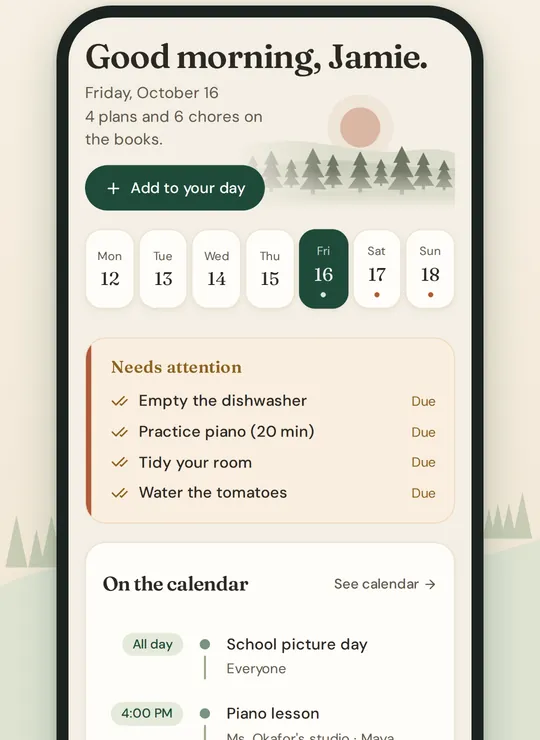
Today opens first. It says what needs attention, what is on the calendar, the chores still to do, tonight’s dinner and what to pick up on the way home.
- A strip of days to look ahead or back
- Needs attention: late chores, rides with no driver, chores waiting for approval
- The week ahead, and a Sunday huddle on Sundays
- Arrange the cards the way you like them
Calendar
One calendar for everyone
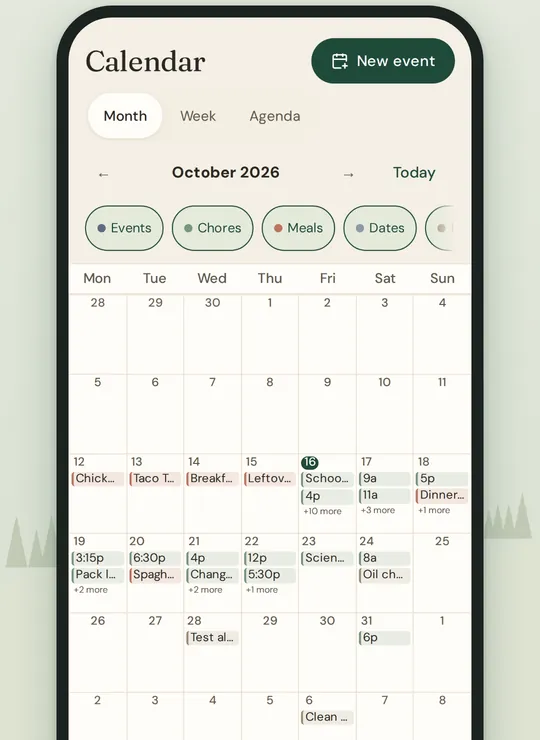
Practices, appointments, school days and birthdays in one place, by month, week or as a list. Each event says who is going, and who can see it.
- Repeating events and reminders
- Events for everyone, for some people, or just for you
- Google and Outlook calendars, or any calendar link, alongside your own
- Who is driving, and which rides still need someone
Chores and routines
Chores that actually get done
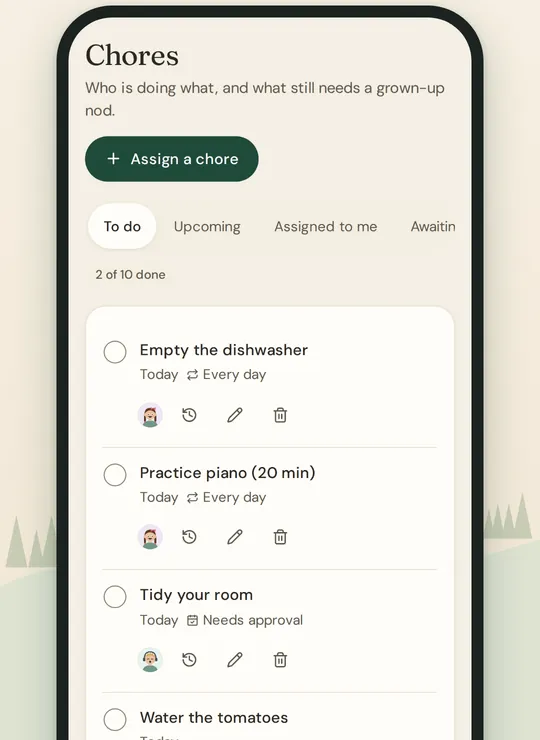
Give each job to someone, or to anyone, and set it to come back every day, week or month. A grown-up can check a job before it counts.
- Repeating chores, with a time and a reminder
- Approve finished chores, or send one back with a note
- Pictures for children who are not reading yet
- Routines that go one step at a time, with a countdown
Meals and recipes
Dinner, decided
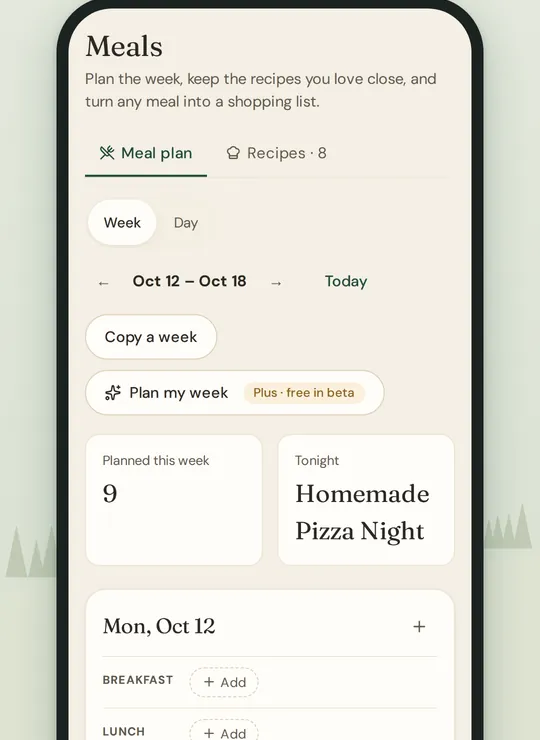
Keep the recipes you love, plan the week’s meals, and turn a meal into a shopping list.
- Add a recipe from a web page, from pasted text, or by hand
- Plan breakfasts, lunches and dinners, copy a week, repeat a favorite
- Scale a recipe, and cook from a step-by-step screen with timers
- Plan my week fills the week from your own recipes, with Plus
Shopping
One list, every phone
Shared lists everyone can add to, grouped by aisle in the order you walk the store, and up to date on every phone.
- As many lists as you need, each for its own store
- Ourstead remembers which aisle things go in
- Send a recipe’s ingredients to a list, and amounts add up
- Tick things off as they go in the basket
Groceries 5 to get
Produce
Bananas
Baby spinach
Dairy
Milk 1 gal
Yogurt 2
Pantry
Pasta
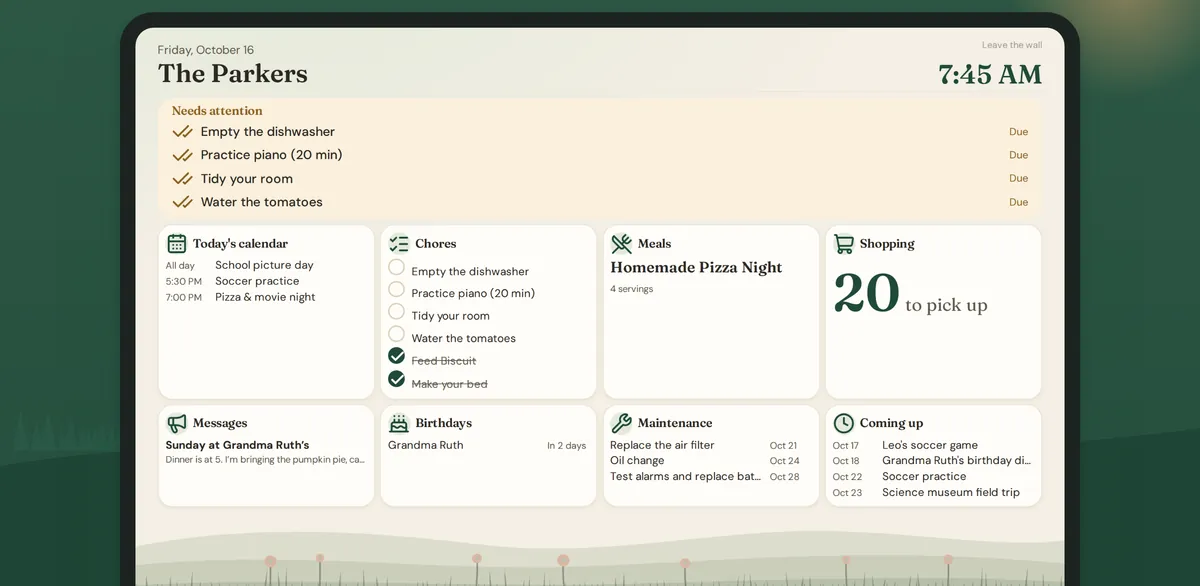
The kitchen wall
A family screen for the kitchen
Put a tablet on the counter or the wall and it shows the household’s day, large enough to read across the room. Children can start their routines on it.
- The time, Needs attention and today’s calendar
- Chores, dinner, the shopping list and messages
- Birthdays, home maintenance and what is coming up
- Private events never appear on it
Messages and notes
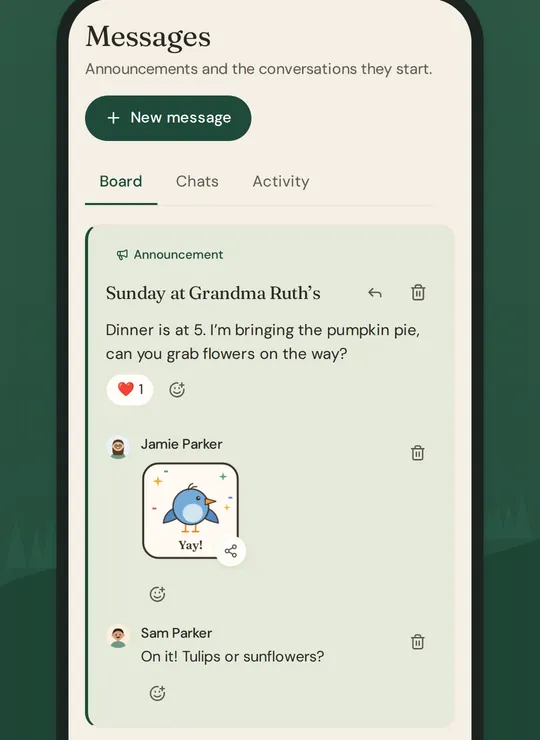
Keep the family in the loop
Post an announcement to the family board, or chat privately with someone in the household. Keep notes and checklists for everyone or just for you.
- Pin an announcement to show it on the wall
- Private chats and group chats, and a grown-up is always in a child’s chat
- Six stickers with Pip, Wren and Mo, and reactions
- Turn the lines of a note into chores
Home and inventory
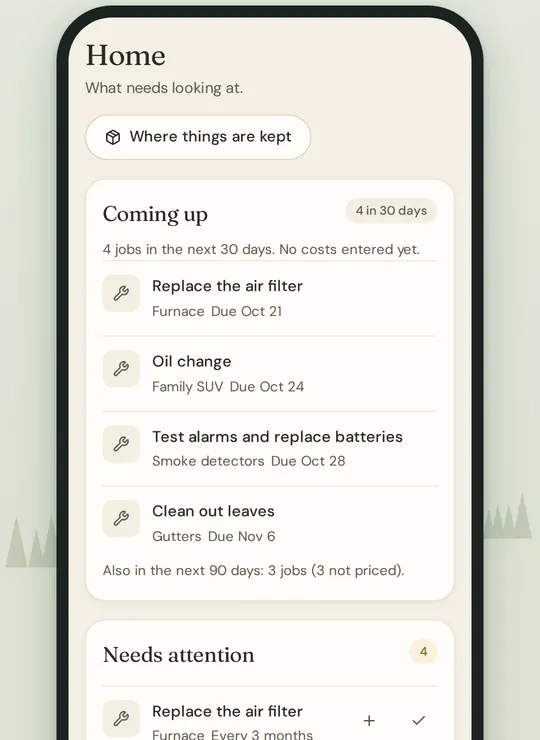
Look after the place
Keep track of the furnace, the car and the smoke alarms, with a reminder when each job is due, and write down what you own and where it is kept.
- Templates with the usual jobs for common things
- Make a chore from a job, and record when it was done
- Places inside places, so things are easy to find
- What things cost, what they are worth, and when warranties end
And the rest of the household
A few parts are not open in the beta yet. They say so below, and the app shows a preview of them.
-
People and birthdays
Everyone in the household, with a colour or a little character. Birthdays with reminders, gift ideas only grown-ups see, and the contacts you call.
-
Notifications and quiet hours
Choose what reaches you, on your phone or by email, and set quiet hours when nothing should.
-
Sign-in and security
Two-step sign-in, passkeys, and a list of every device signed in to your account. Grown-ups decide what each child can see.
-
Sitter pass
One link for a babysitter, with the children’s plans, your notes and who to call, ending when you choose. Not in the beta yet.
-
Living Drawings
Photograph a child’s drawing and it becomes a little character that moves along the bottom of the family’s screens. Not in the beta yet.
-
Documents
Warranties, manuals, receipts and school papers in one place, with reminders before they run out and search inside them. Not in the beta yet.
-
Budget, net worth and allowance
A monthly budget with limits by category, net worth, and an allowance for the children. Bank connections and home and car values are part of Plus. Not in the beta yet.
Free for your household, Plus when you want help
The calendar, chores, meals, shopping and the wall display are free. Plus adds planning help for $10 a month or $100 a year, for the whole household.